Skip to product information
1 of 5
Excellent
Rated 4.8 (21,883 happy customers)

Portable Label Printer - Keeply™

Crisp labels, easy organization, zero ink needed.
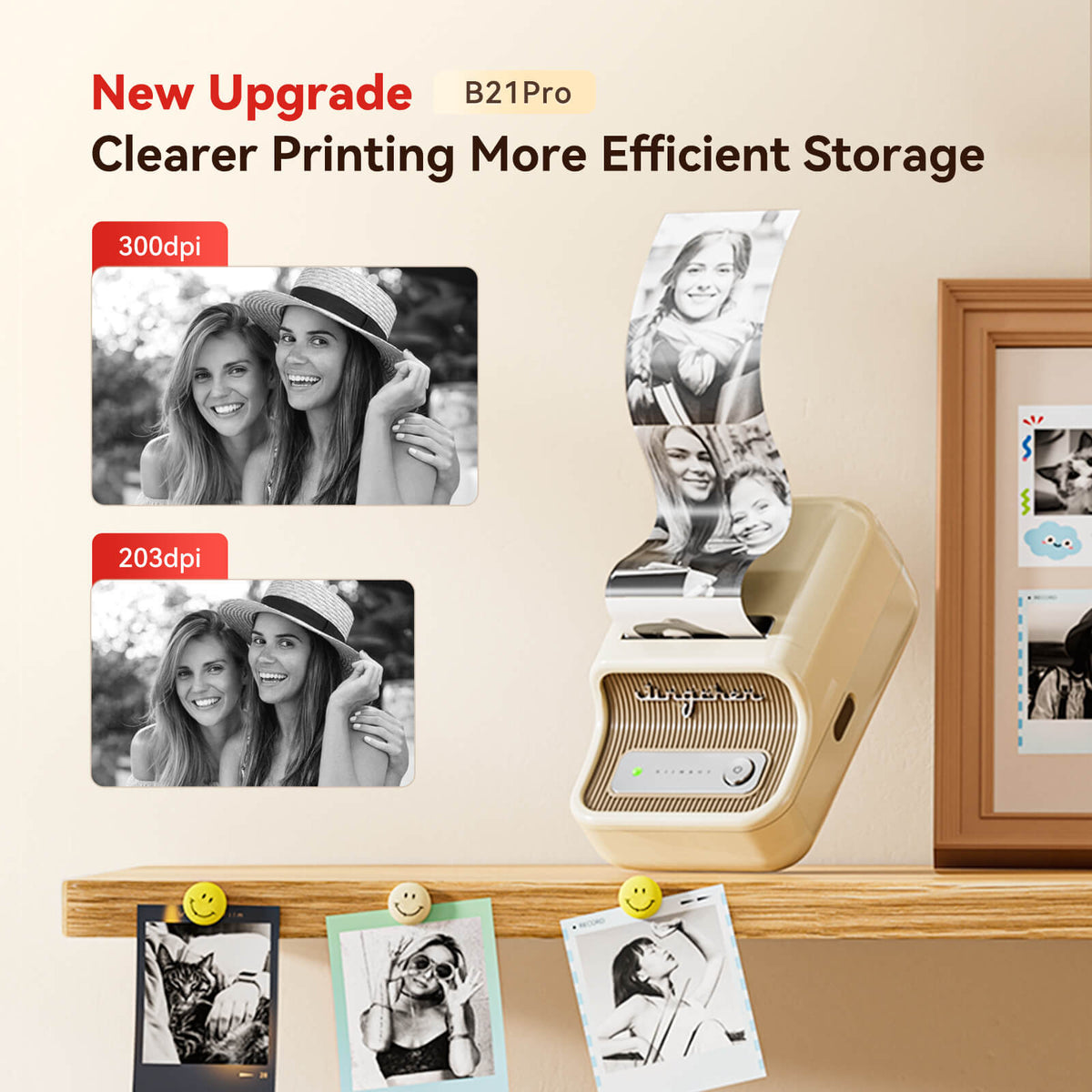
  • 300dpi sharp print quality
  • Ink-free thermal printing
  • Bluetooth for iOS and Android
  • PC compatible with driver
  • Includes 50x30mm label roll
£39.99
BEST SELLER
Upsell product

Short product description here

£10.00 £20.00
Sold out
Easy Bluetooth pairing and simple setup.
Ink-free printing for lower running costs.
Sharp, consistent labels for everyday organization.
Mastercard
American Express
Apple Pay
Google Pay
Discover
Visa
Klarna
Description plus-line

Print sharp 300dpi labels, notes, and photo stickers from your phone or PC. Organize faster with clean, portable thermal printing.

How to Use plus-line

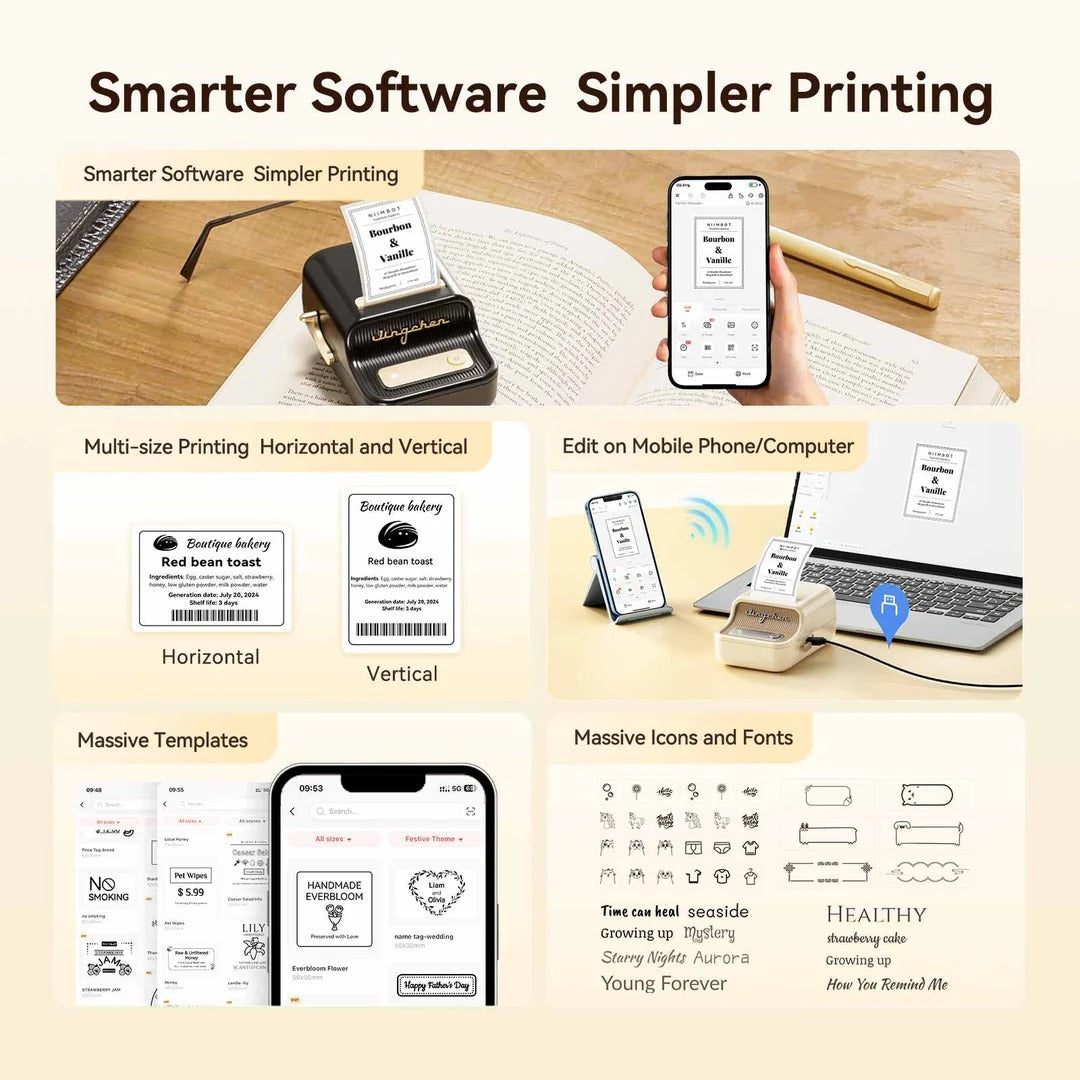
Charge the printer, load the included label roll, connect your device, design your label, and tap print.

Specifications plus-line

Your order ships with 1 roll of 50x30mm labels included, ready to use straight out of the box.

How It Works plus-line

Connect by Bluetooth or USB, create your label in the app, then print in seconds with crisp thermal output.

Does it need ink or toner? plus-line

No, it uses thermal printing, so there is no ink, toner, or carbon tape to buy.

Will it work with my phone? plus-line

Yes, it is compatible with Android and iOS devices through Bluetooth.

Can I use it with a computer? plus-line

Yes, it supports PC use after downloading the required driver first.

What comes in the box? plus-line

You get the NIIMBOT B21 Pro printer and one roll of 50x30mm labels.

What can I print? plus-line

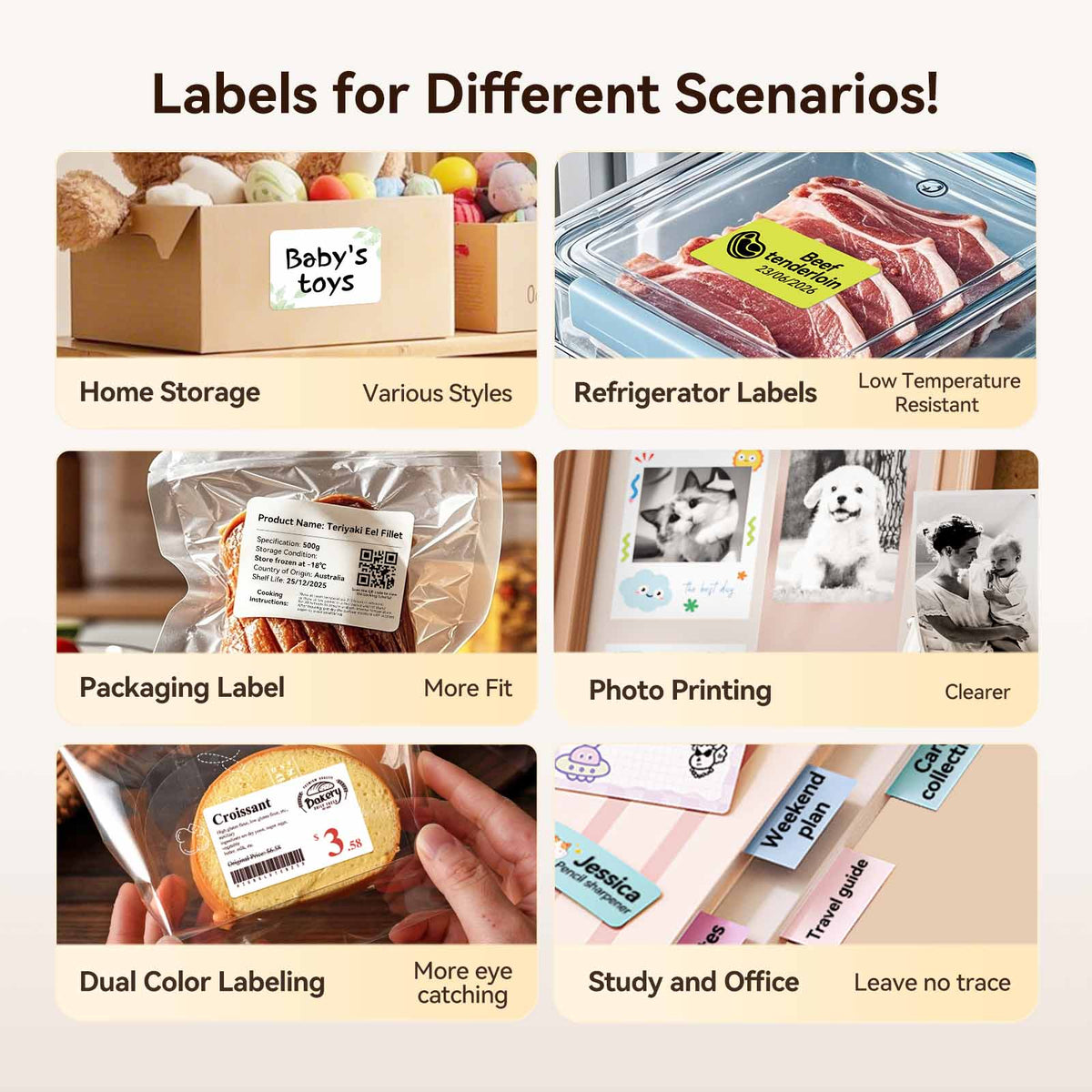
You can print labels, notes, photos, study graphics, and memo stickers.

I labeled my drawers, cables, and notebooks in one afternoon. The print quality is excellent.
The app is simple, and the labels come out clean every time. I love the no-ink setup.
I use it for flashcards and memo stickers. It makes my desk feel so much calmer.
It works with my phone and laptop, and the included label roll was a nice bonus.
These aren't just shoes—they're your competitive edge.
Portable Label Printer - Keeply™
£39.99
Make Organization Effortless
Daniel K.
The app is simple, and the labels come out clean every time. I love the no-ink setup.
D
Priya S.
I use it for flashcards and memo stickers. It makes my desk feel so much calmer.
P
Jordan T.
It works with my phone and laptop, and the included label roll was a nice bonus.
J
Megan R.
I labeled my drawers, cables, and notebooks in one afternoon. The print quality is excellent.
M
Daniel K.
The app is simple, and the labels come out clean every time. I love the no-ink setup.
D
From Setup to Sorted
1 minute

Load the included label roll and power on the printer.

30 seconds

Connect your phone or PC with Bluetooth or the driver.

2 minutes

Choose a template and customize your label in the app.

Seconds

Tap print and get a clean, sharp label instantly.

Anytime

Stick labels where needed and enjoy a more organized space.

Why You’ll Love It

Make every label look clean and professional while saving time, money, and clutter.

Why You’ll Love It

Make every label look clean and professional while saving time, money, and clutter.

Create polished labels that make every space feel instantly organized.

Enjoy crisp text and clearer image printing for labels that look polished.

Save money with ink-free thermal printing and fewer ongoing supplies.

Thermal technology removes the need for toner or carbon tape forever.

Print from your phone for fast labeling wherever you are.

Print easily from Android, iOS, or a computer with the driver installed.

Add a professional touch to home, office, and study items.

Save space while organizing files, supplies, notes, and more with ease.
See the Difference

From cluttered to clear in minutes. This printer turns everyday organizing into a simple habit.

Is the print quality clear?

Yes, the 300dpi resolution delivers sharp text and detailed prints for clean labels.

Is it easy to carry?

Yes, the compact design makes it easy to use at home, in the office, or on the go.

Do I need extra supplies?

No, it prints without ink or toner, which keeps maintenance simple and low-cost.

Can I start right away?

Yes, the included label roll lets you begin printing as soon as you set it up.

Why NIIMBOT Wins
Better print quality, easier setup, and no ongoing ink costs.
Our Product
Original
Others
300dpi sharp printing
No ink or toner needed
Phone and PC compatible
Includes starter label roll
Prints notes and photos
Make Organization Effortless
95%

Users reported faster organizing with clear labels that simplified daily routines.

92%

Customers appreciated the ink-free design for lowering long-term printing costs.

88%

Many said the compact size made labeling easier in small spaces.

* Based on internal studies and customer feedback surveys.

The app is simple, and the labels come out clean every time. I love the no-ink setup.

I use it for flashcards and memo stickers. It makes my desk feel so much calmer.

It works with my phone and laptop, and the included label roll was a nice bonus.

I labeled my drawers, cables, and notebooks in one afternoon. The print quality is excellent.

Clean labels. Fast.

Create sharp labels anytime, anywhere.

Frequently Asked Questions

Find answers to common questions about our products, shipping, returns, and more.

Does it need ink or toner? +

No, it uses thermal printing, so there is no ink, toner, or carbon tape to buy.

Will it work with my phone? +

Yes, it is compatible with Android and iOS devices through Bluetooth.

Can I use it with a computer? +

Yes, it supports PC use after downloading the required driver first.

What comes in the box? +

You get the NIIMBOT B21 Pro printer and one roll of 50x30mm labels.